Close Work
Case Study

Kestrel

The bridge display of a research frigate at Barnard's Star in July 2166, built as one web page. There is no narrator. You read the crew's logs one at a time, and the ship moves forward with you.
Open the display Read the story
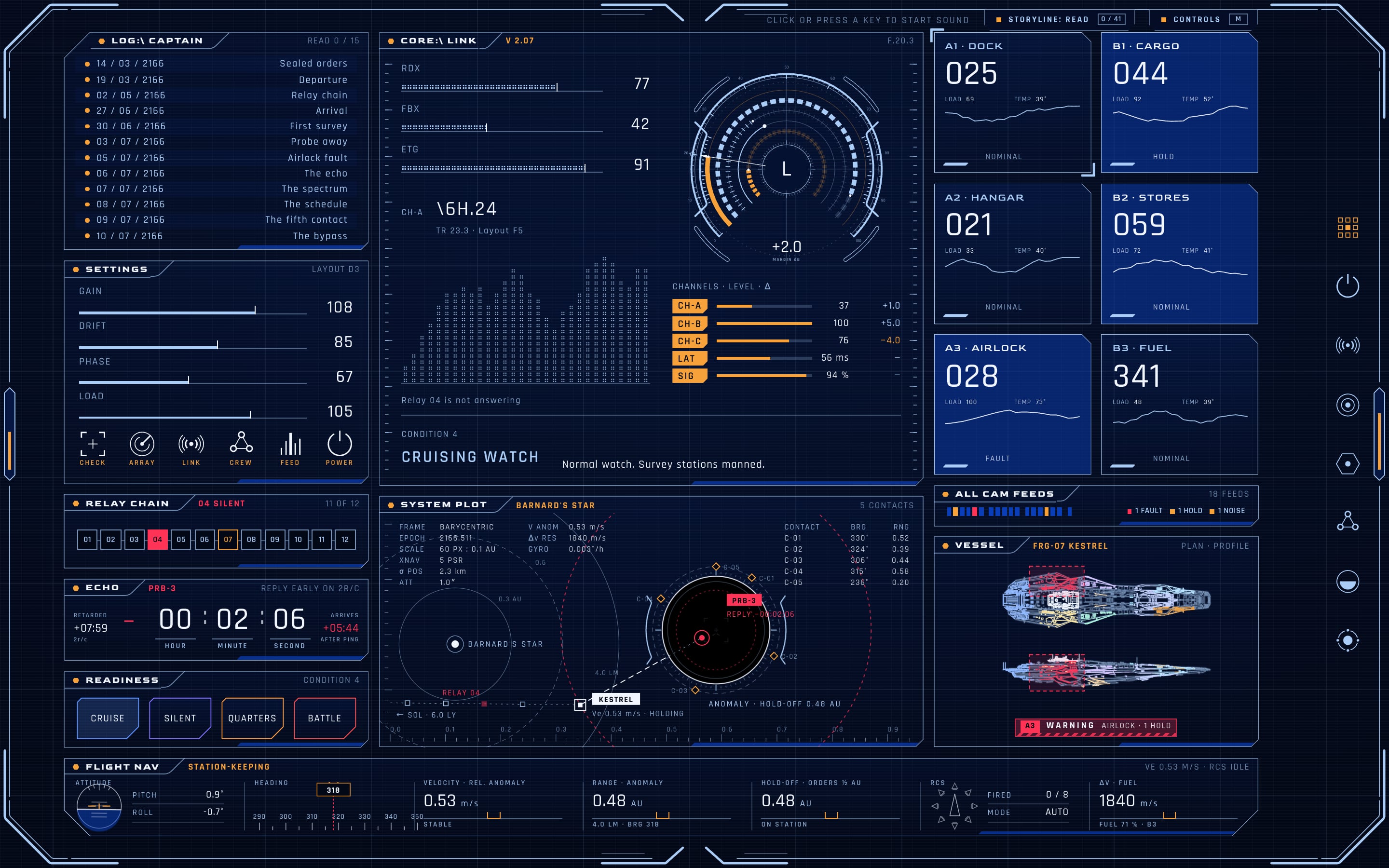
The Kestrel's main wall: the captain's log with every entry unread, the relay chain, the echo, the system plot of Barnard's Star, the six bays, the camera feeds and the ship schematic, in pale blue linework on navy
01
Role Concept, Art Direction & Interactive Design
02
Client Independent project
03
Tech Stack ClassCAD, SVG, React

A mystery told only through a ship's instruments.

Most science-fiction interfaces are set dressing. They sit behind the actors and look busy, and nobody is meant to read them. I wanted to build one you do read, closely, because it is the only way to find out what happened.

Something near Barnard's Star is behaving unexpectedly, and the crew has been recording what they see. Every clue found in a reading, a log or a camera gives only a glimpse of what will later add up.

The story unfolds as you investigate.

You’re a security officer clearing the ship’s recordings for release. It starts with a single message: Captain Varden opening her sealed orders on March 14. Read to the end and the next recording becomes available. There’s no list of what’s ahead. You follow the evidence one message at a time.

The ship responds as the story develops. Frost spreads around the airlock. A crew member turns up in sickbay. The probe’s replies arrive a little later each day. The clues are in the recordings, the instruments, and the changes happening around you.

There are 41 entries across three chapters, each in its author’s voice.

  1. The anomaly March 14

    Barnard's Star's light vanished twice, for eleven minutes each time.

  2. The evidence June 27 – July 6

    The ship’s clock shows no drift. Then the probe’s replies arrive eleven minutes before the requests that caused them.

  3. The pattern July 7 onward

    Each day, the replies arrive a little less early. The readings form a straight line toward zero. Four contacts hold station on the rim. Then a fifth appears.

The clues are where the crew would look.

The Kestrel's main wall at 1440 by 900
1

The captain's log

Each orange dot is a message you have not read yet. Open one and Captain Varden reads it aloud.

2

Relay chain

Twelve relays carry the ship’s reports six light-years home. Relay 04, in red, has stopped answering.

3

The echo

The probe’s reply, timed against the 7:59 light-time round trip. It arrives early, and the lead shrinks every day.

4

Readiness board

Cruise, silent running, general quarters and battle stations. Each one recolors the whole display.

5

System plot of Barnard's Star

The anomaly, the probe inside it and the contacts around it. Click it for the system detail and the star’s planets.

6

The six bays

Each tile opens its bay’s readings and camera. Open the camera full screen and the bay is a live 3D room you can look around.

7

All camera feeds

Every camera aboard and outside the hull, on one wall of CRT monitors.

8

The ship schematic

The frigate in plan and profile. Open it and point at a part to read it out, or turn it in 3D.

Eight screens, one ship.

The main wall is one of eight screens, each covering one part of the ship, from the reactor's power budget to the anomaly itself. They share the same line weights, the same accent color and the same low electrical sounds, so moving between them feels like turning to another console on the same bridge.

The other seven

Power to the anomaly

Each one is a full wall of its own.
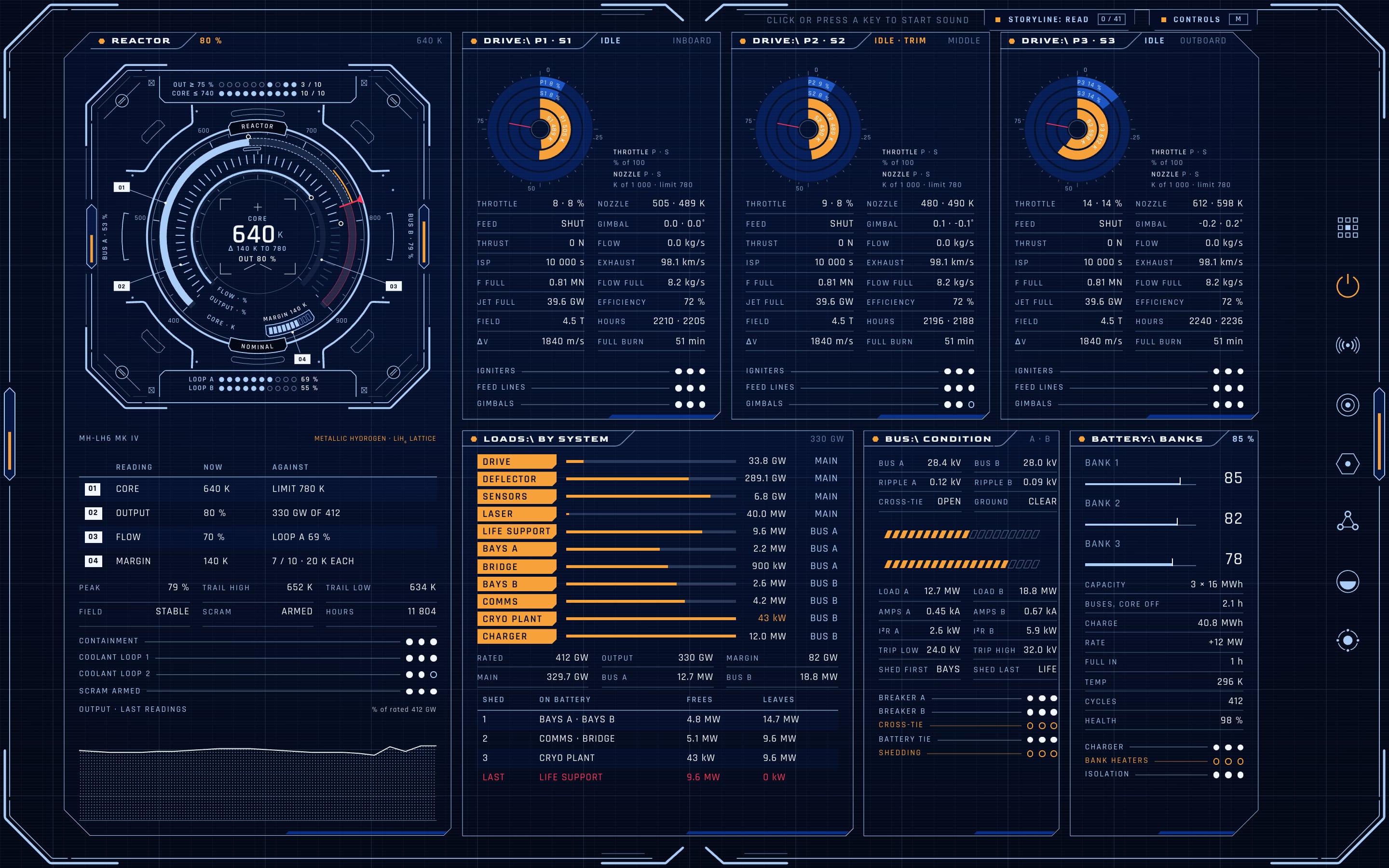
The Power screen: the reactor gauge reading 640 K against a 780 K limit, the three drive pairs, loads by system, bus condition and battery banks
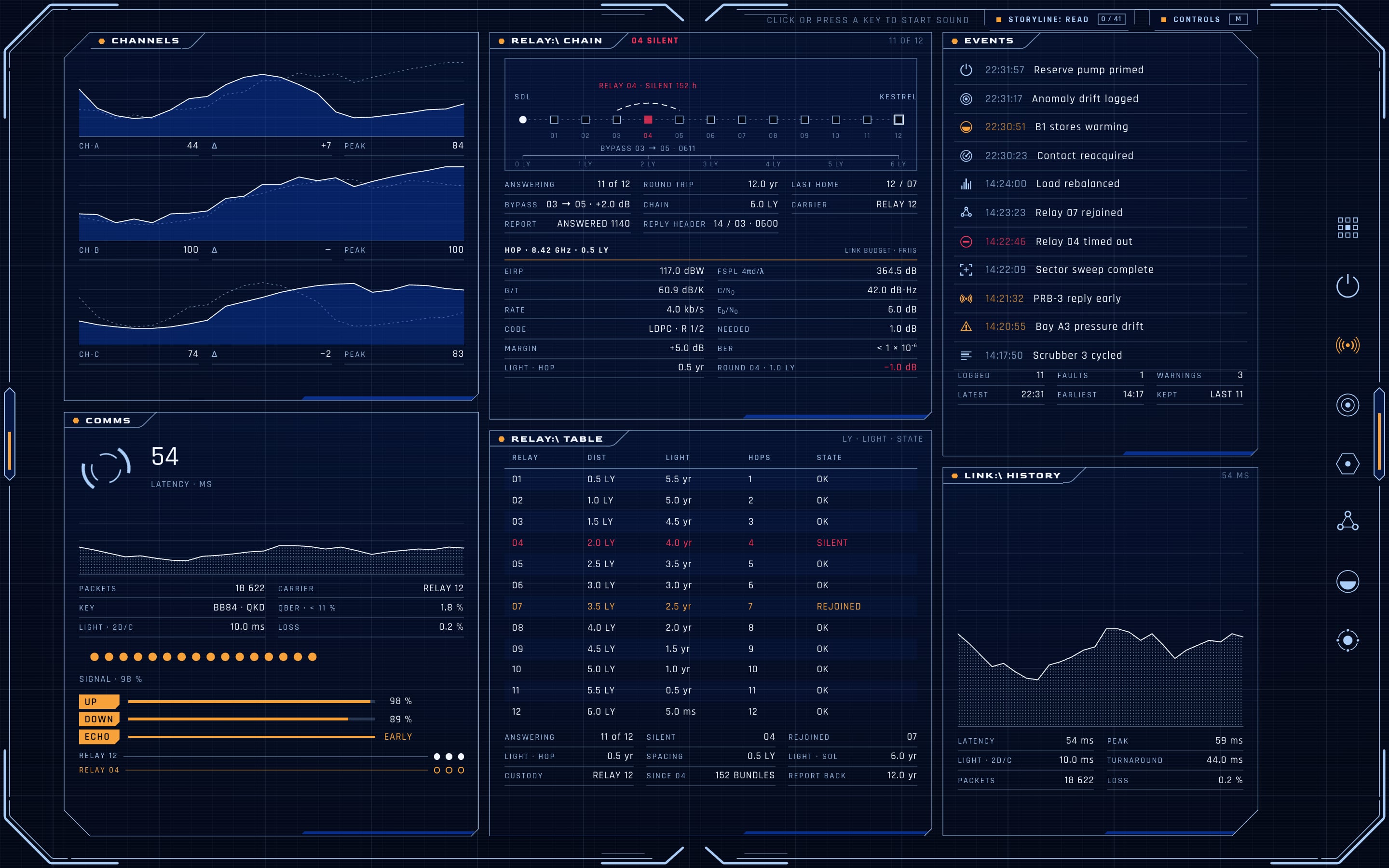
The Link screen: channel charts, the twelve-relay chain with relay 04 silent for 152 hours, the relay table, events and link history
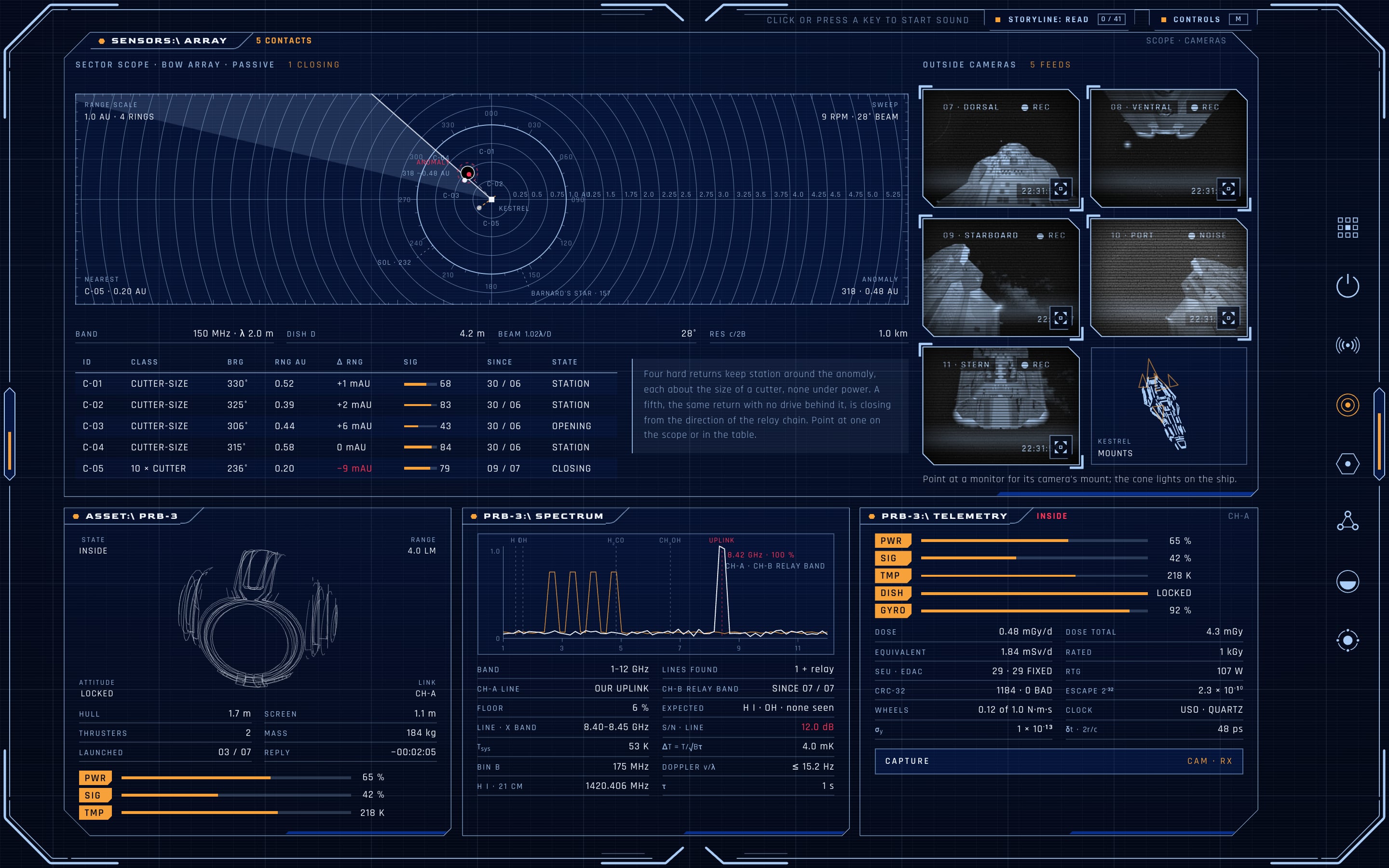
The Probe screen: the sensor array scope and contacts, five outside camera monitors, and the probe PRB-3 with its spectrum and telemetry
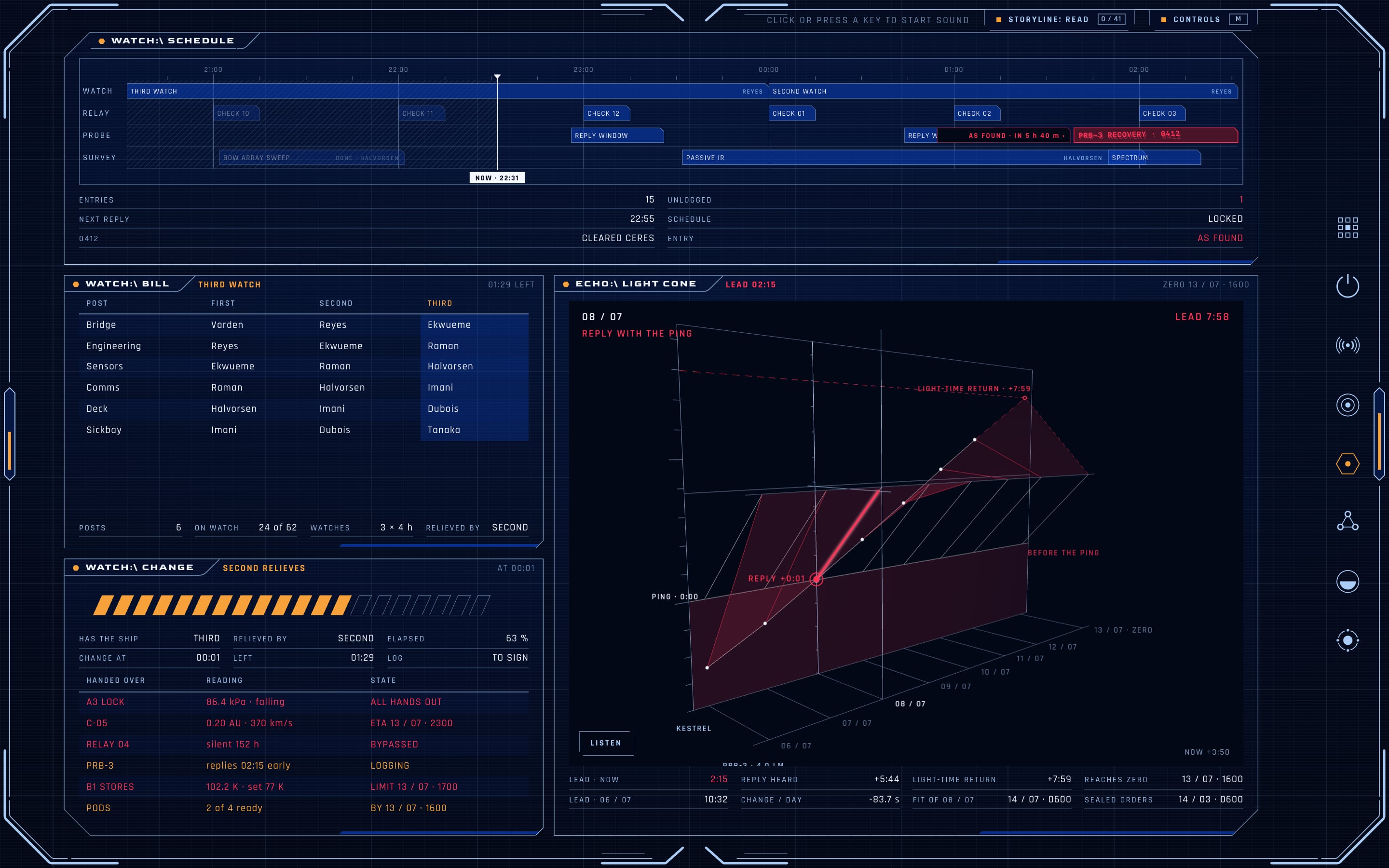
The Watch screen: the watch schedule, the watch bill, the handover list and the echo drawn as a 3D light cone
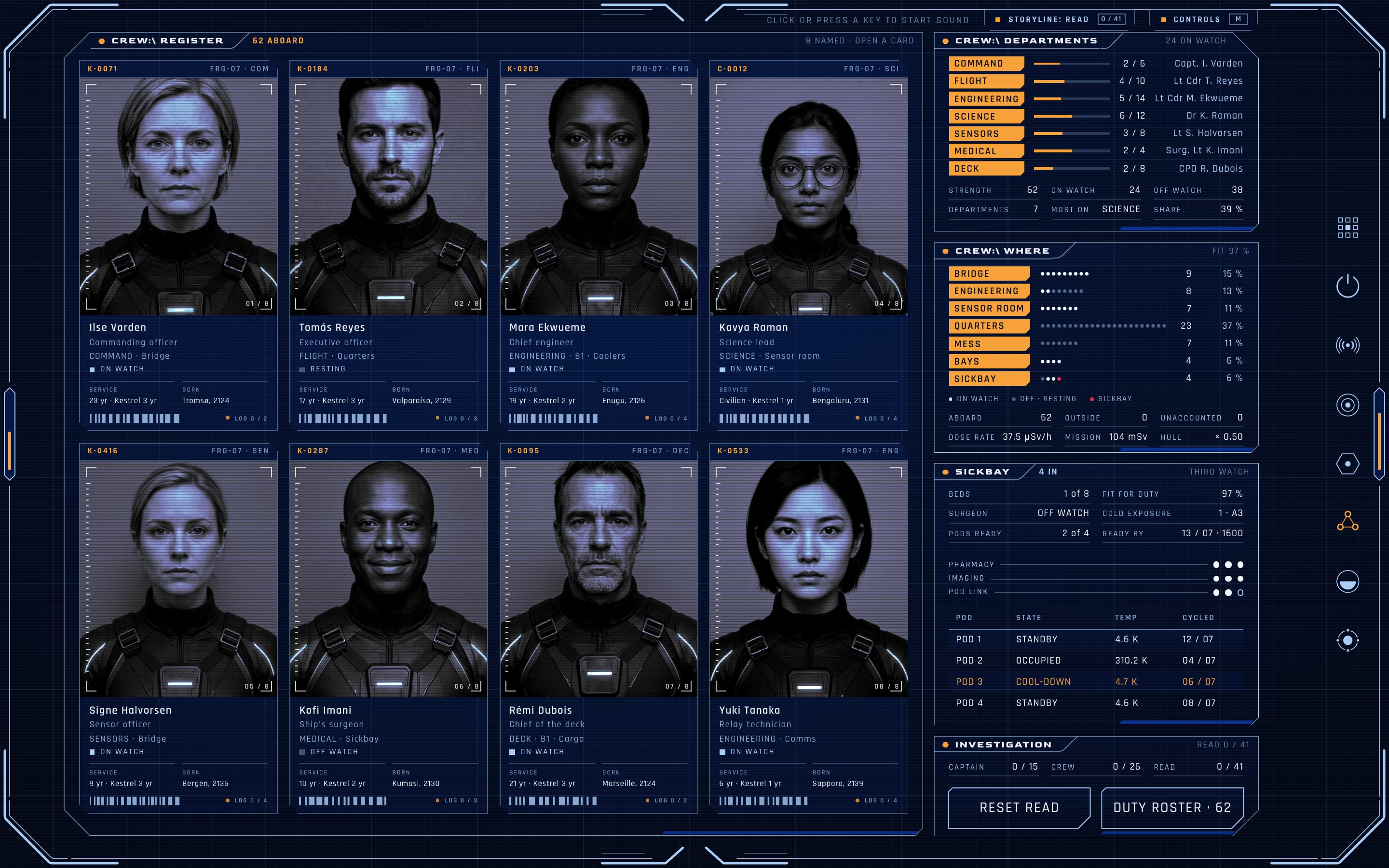
The Crew screen: eight named crew portraits in the register, departments, where everyone is, sickbay and the investigation panel
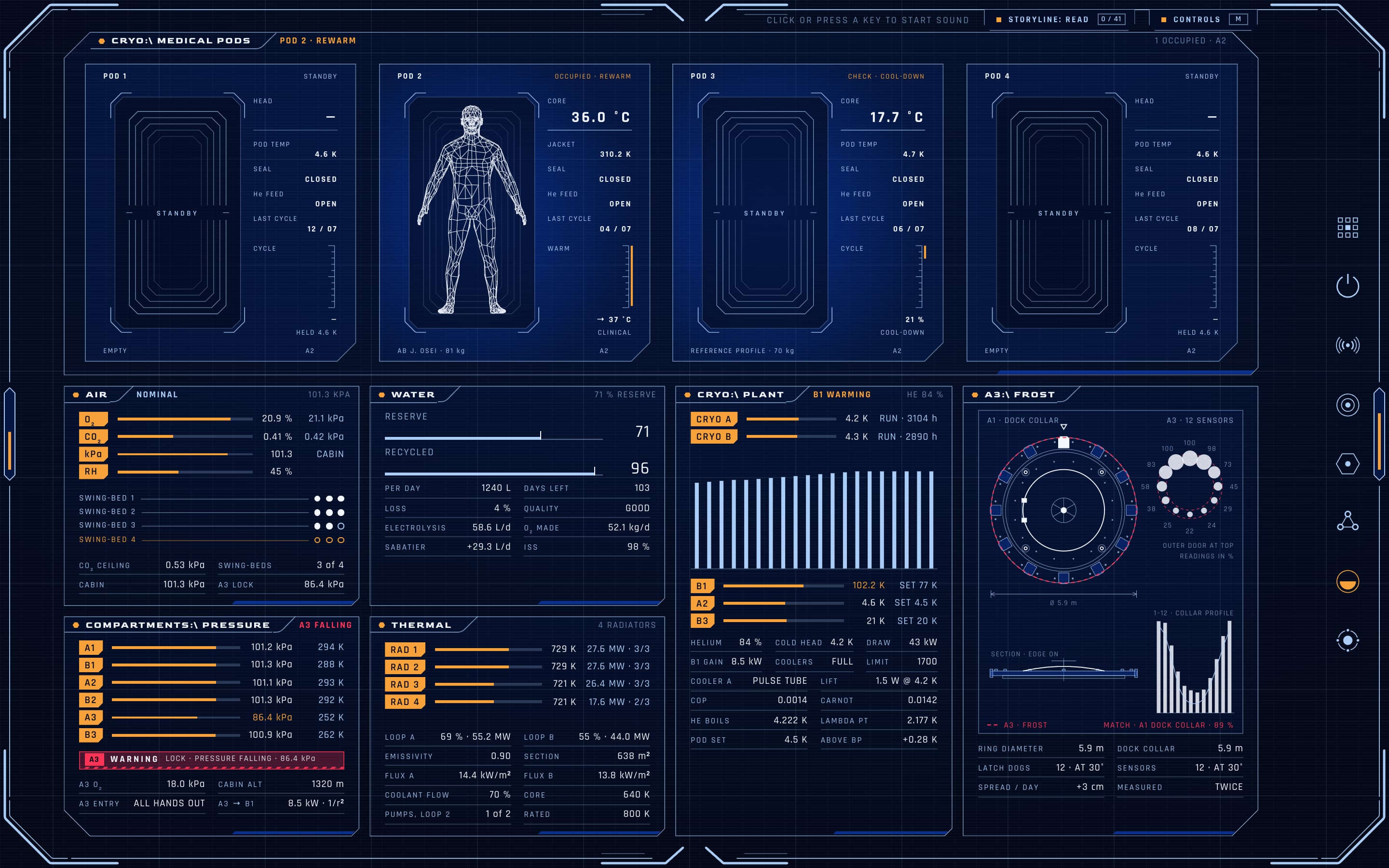
The Life screen: four pods, one with a crew member shown as a standing wireframe, air, water, the cryo plant, compartment pressures, thermal loops and the airlock frost ring
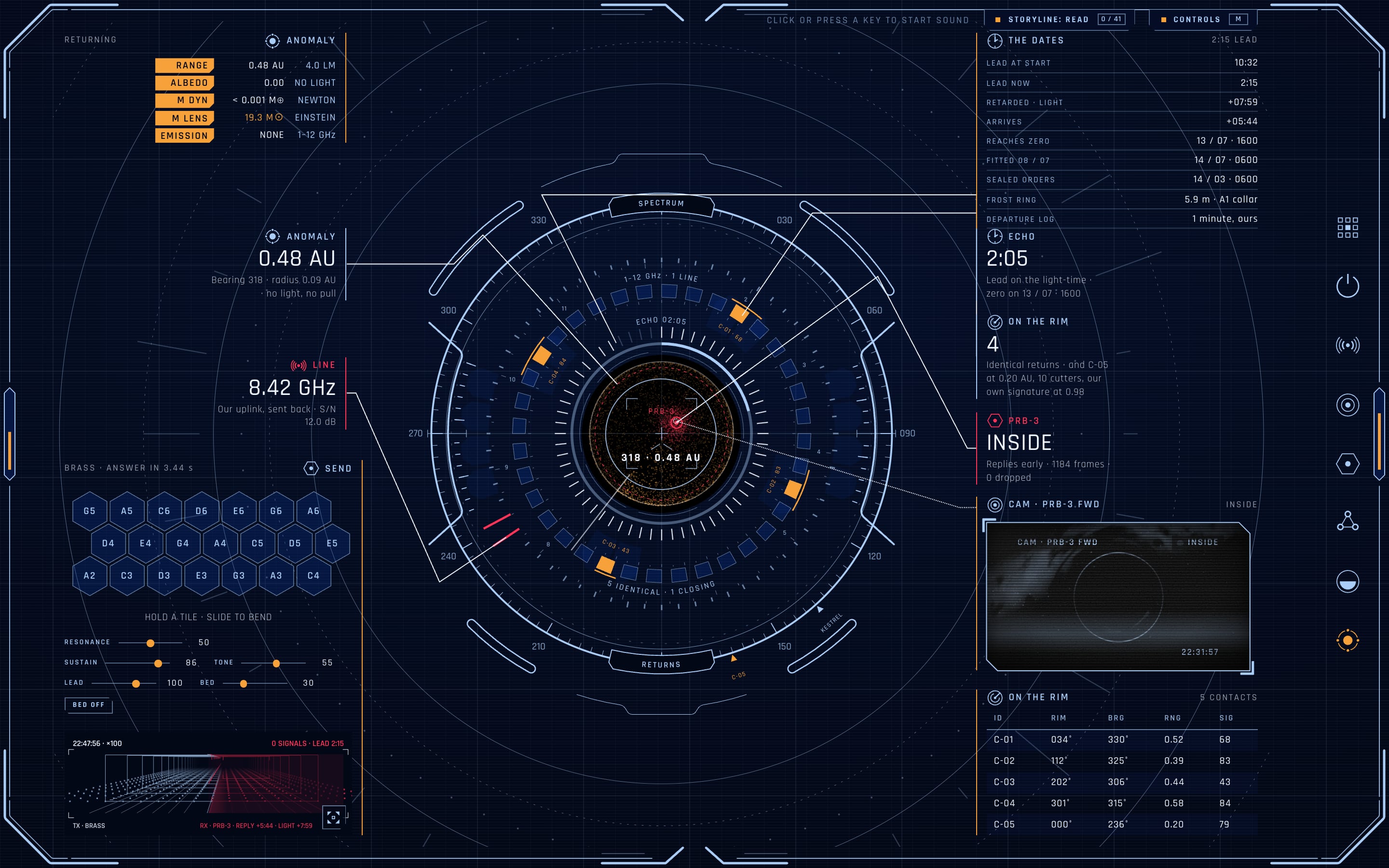
The Anomaly screen: a radial display of the anomaly with the contacts on its rim, the brass keypad of hexagon tiles and the chrono tunnel

Most things on the screens open into a closer view. A camera that was a small one-color monitor becomes a 3D room you can look around.

Any screen

One design from phone to ultrawide

The wall grows wing panels on a wide monitor and restacks on a tablet. On a phone it becomes an app of its own.
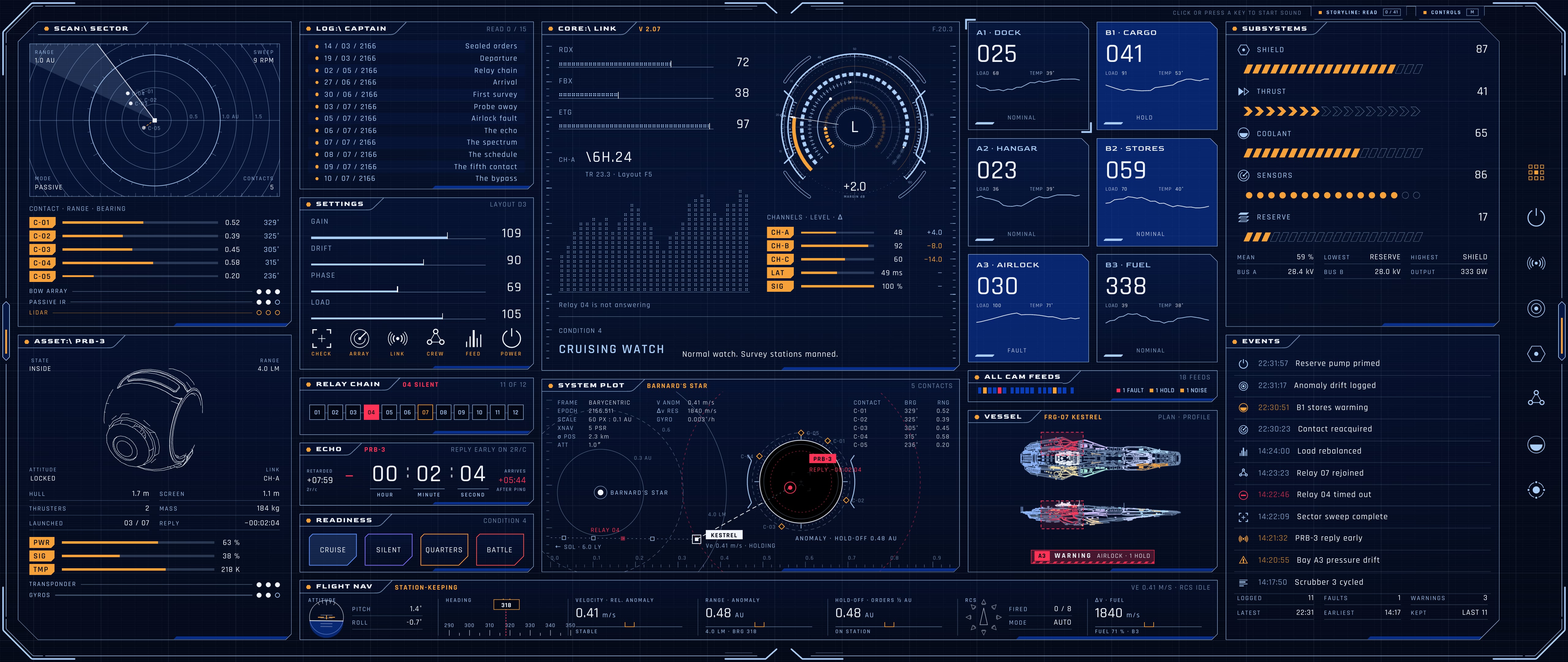
The main wall at 2560 by 1080, with wing panels on both sides: a sector scan and the probe on the left, subsystems and events on the right
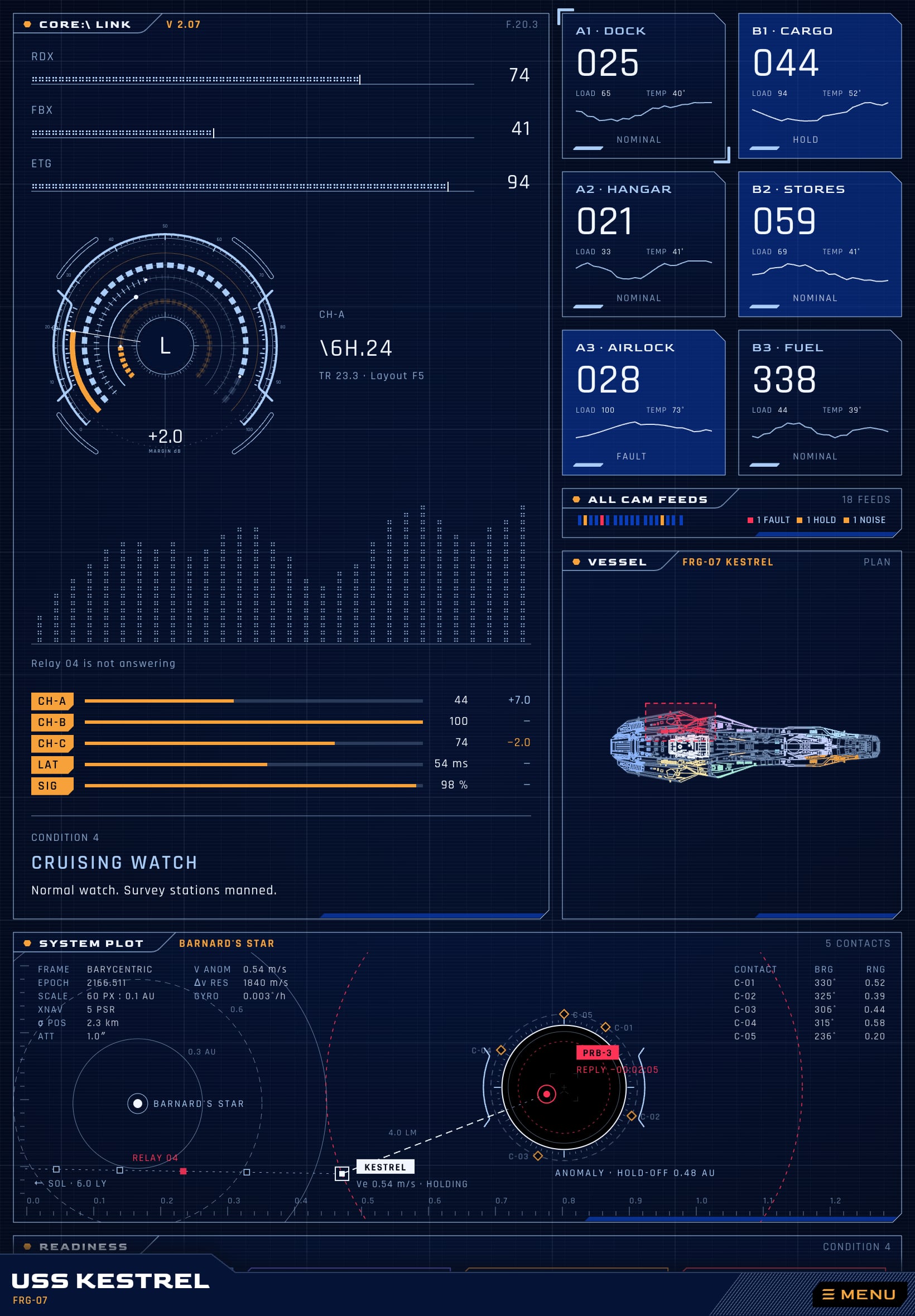
The dash on a tablet at 820 by 1180: the link panel and bay tiles on top, the camera feeds and the vessel, the system plot across the width and the touch bar at the foot
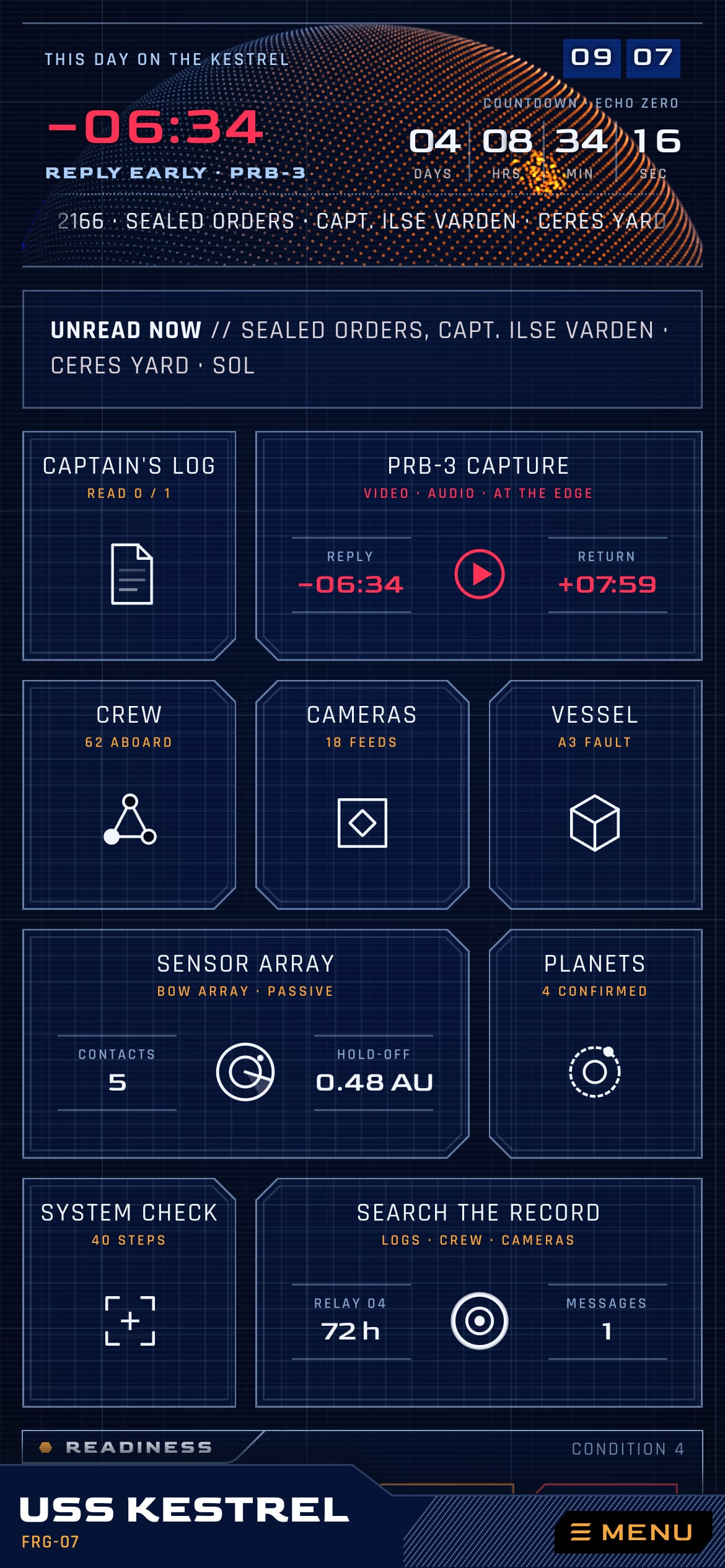
The phone home screen: the day and the echo's lead over a dotted planet, a countdown to the fitted zero, the first message as a ticker and a grid of nine tiles
Home. The day’s figures up top, then the next message to read.
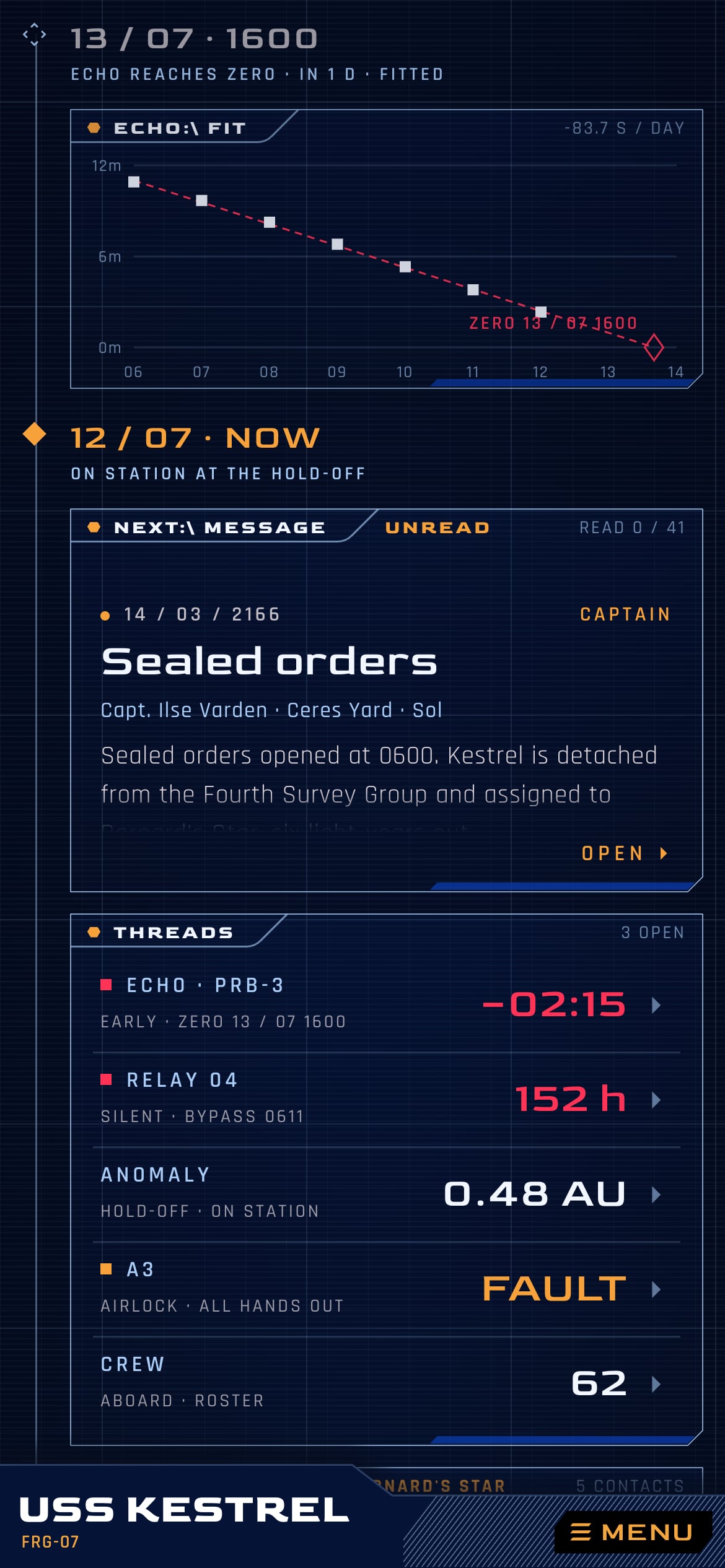
The phone case file: the echo fit chart running to its zero, the next message, and the open threads with their figures
The case file, the other phone layout (add ?m=c to the address): the threads in time, from the echo’s projected zero back to the sealed orders.
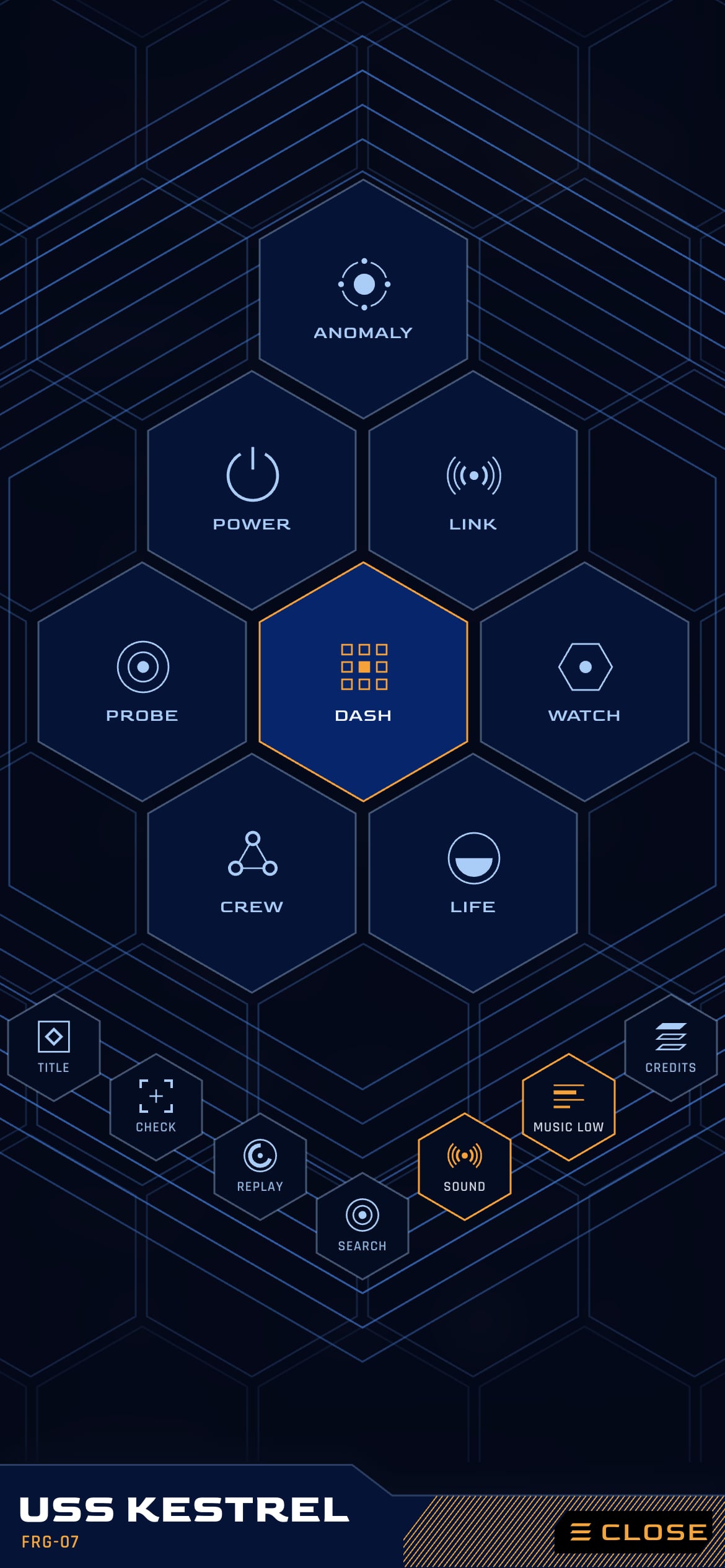
The phone menu: a honeycomb of the eight screens with the display’s controls as small tiles below
The menu: the eight screens and the display’s controls.
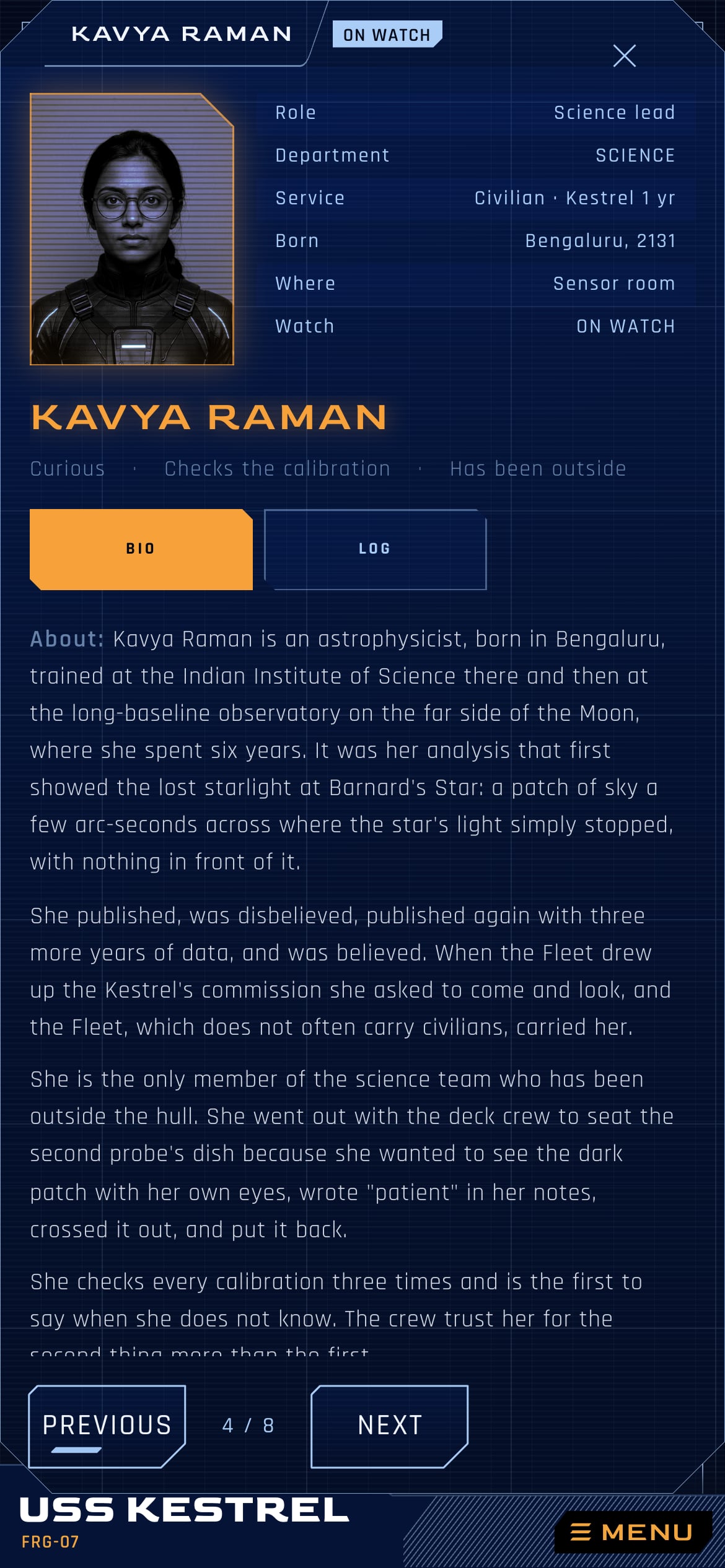
Kavya Raman's crew page fitted to the phone, with her portrait, record, BIO and LOG tabs and her biography
A crew page, fitted to the phone.

Made ahead, put together live.

I directed the work and Claude Code wrote the implementation. The slow parts are made and checked before anything ships. The browser's job is to put those pieces together around your reading, and no AI runs while you watch.

Made ahead of time Runs in your browser
01 Line work Made ahead of time Frames, dials, icons and the ship’s plan written as CAD models in code. The ClassCAD engine projects them to line drawings, saved as TypeScript. → Runs in your browser A React kit draws them as SVG and stretches them to any panel size. Every animation is a function of time.
02 Story Made ahead of time Log text kept word for word from the drafts. The wall on July 9 and each later day written as data. → Runs in your browser Your reading decides which messages are released and which day the wall shows.
03 Voices Made ahead of time ElevenLabs records each entry. Whisper transcribes every take and compares it word by word with the script. All of them are leveled to the same loudness. → Runs in your browser Web Audio plays the take through one mute control while the text types in step with the voice.
04 Cameras Made ahead of time Every photo and feed is rendered from the same 3D scenes the browser draws: the bays from their Blender rooms, the outside cameras from the ship and probe, the rovers from the planets’ terrain. → Runs in your browser Gray pictures on CRT monitors, tinted to the ship’s readiness color.
05 3D Made ahead of time Bays modeled in Blender with their light baked in. Ship and probe prepared in Blender. Models and textures compressed for the GPU. → Runs in your browser three.js loads only when you open a camera, behind its still, one renderer at a time.
Before every deploy
  1. Type check, tests and build
  2. A browser drives the built display: boot, clicks, keys, sound levels
  3. Layouts from phone to ultrawide
  4. Static files on Cloudflare

Every screen reads the same story.

A mystery spread over eight screens falls apart if two of them disagree, because you can't tell a clue from a mistake. So the story is written once, as data, and every screen reads from it.

The numbers in it are real where they can be. Whenever a panel needed a reading, I asked what was being measured, in what unit, and by what formula. The relay link home is sized like NASA's Deep Space Network, and the anomaly's mass comes from how much it bends starlight.

  1. 01 The story Every log, reading and crew member, written once →
  2. 02 Your place How far you have read sets the day →
  3. 03 Every screen Reads the same facts for that day
Interactive prototype

Explore it

Best with the sound on and a big screen. Press ENTER to wake the ship, then open the captain's log and read the first message to the end.

Open Kestrel kestrel.wellcrafted.pro · eight screens, three chapters, live Building a Starship How the whole thing came together
All Work

All company names, logos, trademarks, and brand assets shown are the property of their respective owners and are presented here solely to document professional work completed on their behalf. Their inclusion does not imply endorsement or an ongoing affiliation.

Explore

WorkYou are hereWritingLatest: Oct 5, 202609AboutDesigning since 200125ContactForm or email, one inbox

© 2026 Brandon Holcombe · Privacy · RSS